GoTune: MP3 Music
- 4.1
- Rating
- 1.00M
- Installs
- Free
- Price

 Analysis by App-foxy
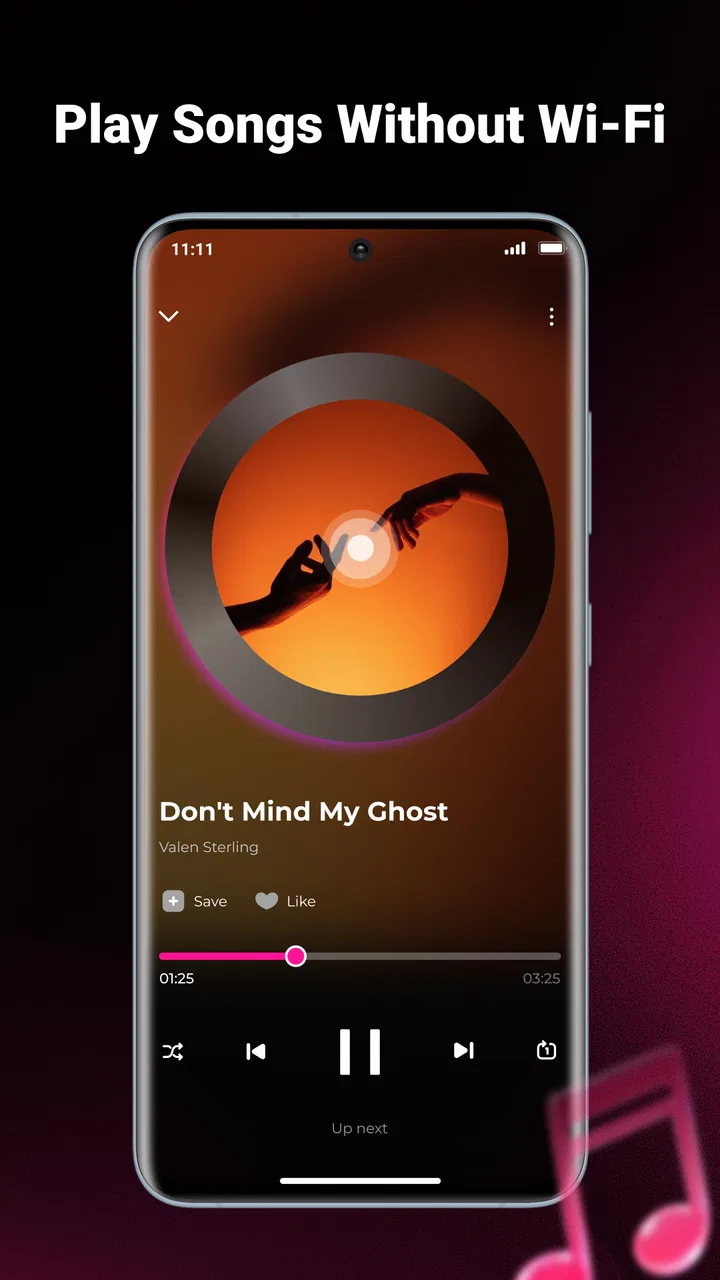
I spent time with GoTune: MP3 Music as a straightforward way to play music already stored on a phone, and its appeal became clear quickly: it stays focused on local listening instead of trying to become a full streaming service. This is a free music and audio app from Technology Hub Pro, aimed at people who want offline MP3 playback, personal playlists, and controls that remain available while another app is on screen.
That focus is both its main strength and its biggest boundary. If your music collection is made up of downloaded or transferred MP3 files, GoTune gives you a simple place to organize and play them. If you expect a large streaming catalog, editorial recommendations, synchronized libraries, or social discovery, you will probably feel that it is intentionally limited. My overall impression is that it works best as a practical local music player rather than as a replacement for every music service on a phone.
How GoTune feels in everyday use
The current release is version 1.0.8, and the app has reached over a million installs with a 4.1 average from around five hundred ratings. Those figures suggest that it has found a sizable audience, but I would not treat popularity as proof that it fits every listener. The useful question is whether your listening habits match its offline-first design.
You May Also Like

 Blood Strike: 2.5 Anniversary
Blood Strike’s Loadouts Turn Every Drop Into a Tactical Gamble
A close look at Blood Strike’s custom loadouts: how fast access to signature weapons reshapes its battle royale rhythm, rewards preparation, and narrows the gap between fights.

 Pandora - Music & Podcasts
Pandora’s Music Is Easy to Start, but Harder to Recover
Pandora’s strength is its low-effort path from a seed to a station. Its weak spot is how much confidence it asks you to place in connection, setup, and quiet recovery.

 8 Ball Pool
 Is Built on Rivalries, Rematches, and Routine
A close look at the rivalries, rematches, shared routines, and unanswered safety questions that turn a quick pool match into a persistent mobile community.

 Samsung Music
’s Quiet Strength Is Playing What You Already Own
Its reach comes less from spectacle than from dependable access to a personal library. That simplicity is both the app’s strongest retention engine and its ceiling.

 AccuWeather: Weather Radar
AccuWeather Review: A Quick, Clear Forecast for Everyday Decisions
For everyday plans, the best forecast is the one you can understand quickly. AccuWeather makes rain timing, radar, and local conditions easy to act on, with a few trade-offs.

 Hill Climb Racing
Why Hill Climb Racing Still Turns Crashes Into One More Run
A tiny car, a bumpy hill and one more upgrade: Hill Climb Racing keeps resurfacing because its simple chaos makes every near-miss feel personal.
More From Our News Desk



For me, the strongest use case was a commute or trip where I wanted to avoid relying on a signal. I could choose music from the device, put together a playlist for the journey, start playback, and move on to another task without needing to keep the player open in front of me. That small change makes a difference when the phone is being used for maps, reading, messaging, or a workout timer.
The background controls are especially practical in that kind of situation. A music player becomes frustrating when every pause or track change requires returning to the app, so keeping playback accessible while using other parts of the phone is more important than it may sound in a short store summary. GoTune treats that as a central part of the experience rather than an extra feature hidden behind a complicated interface.
Playlist handling also gives the app a useful role for people who organize music by activity. I would make separate lists for a train ride, focused work, exercise, or a quiet evening, then choose one without searching through the entire collection each time. The benefit is not sophisticated recommendation technology; it is the control that comes from deciding exactly which local tracks belong together.
There is a trade-off in that simplicity. A local player depends on the quality and organization of the files already on your phone. If your MP3 collection has unclear names, inconsistent artwork, or duplicate copies, the app cannot magically turn it into a polished streaming library. Before building playlists, I would spend a few minutes cleaning up file names and removing duplicates. That preparation makes the later experience noticeably easier.
Who will get the most from it
I would recommend GoTune to listeners who keep their own music files, travelers who prefer offline playback, and anyone who wants a lightweight alternative to a subscription-based service. It also makes sense for people who do not want their listening choices shaped by recommendations or a constantly changing online catalog.
It can be useful for a family member who simply wants to press play on familiar songs without learning a larger streaming platform. The Everyone age rating supports that approachable positioning, although ease of use still depends on how neatly the music is stored on the device. A carefully prepared collection will feel much better than a folder full of vaguely named files.
I would be less enthusiastic about it for someone whose music life is mostly built around streaming searches, new releases, podcasts, radio stations, or cloud synchronization. In those cases, a mainstream streaming app is usually the better choice because its value comes from discovery and access to a broad online library. GoTune is not competing on that ground, and expecting it to do so would lead to disappointment.
What the current version changes in practical terms
The available release is version 1.0.8, while the app itself is dated May 23, 2026. I see that as a sign of a relatively early product stage rather than evidence of a long-established, feature-heavy platform. The important point for a new user is that the current build presents a defined foundation: local MP3 playback, playlists, and background controls are the parts to evaluate today.
I would separate those confirmed capabilities from assumptions about future development. A version number can show that the app has moved beyond its earliest build, but it does not automatically promise a particular roadmap. I would not install it expecting upcoming streaming integration, cloud backup, equalizer tools, or wider format support unless those features are clearly introduced in a later release.
That distinction matters for existing users too. If you already have GoTune installed, the current version is best judged by whether playback and playlist workflows feel dependable for your collection. A newer build may improve the foundation over time, but the safest way to assess an update is to check whether your own playlists, local files, and background controls behave as expected after installing it.
For someone moving from another local player, the transition should be approached as a library-management task rather than a service migration. Your music remains tied to the device’s existing files, so I would first confirm that the tracks you care about are stored locally and playable outside any previous app that managed them. Then I would recreate only the playlists I actually use instead of trying to copy every old list immediately.
That workflow reveals one of GoTune’s quieter advantages: it encourages a clean, intentional collection. Streaming apps make it easy to save thousands of songs that you rarely hear again. With a local player, every file has a clearer place in your library. For listeners who prefer a smaller personal rotation, that can feel calmer and more manageable.
Background listening without unnecessary friction
The background-control approach is most valuable when music is supporting another activity. Imagine starting a playlist before leaving home, locking the phone, and later pausing when you reach a station or need to speak with someone. You should not have to reopen the player for every basic action, and GoTune is designed around that kind of hands-off listening.
Another realistic scenario is cooking. I can begin an album, put the phone somewhere safe, and continue using the device for a timer or recipe without making the music app the center of attention. The same workflow applies to studying, walking, cleaning, or working through a set of offline files during travel.
My advice is to create playlists by situation rather than by an overly precise mood system. A list called “morning,” “long trip,” or “quiet work” is easier to reach for than several nearly identical lists. Because the app’s value comes from direct access to your own files, good organization matters more here than it would in a service that can search and recommend replacements instantly.
There is also a useful privacy-minded angle, although I would keep the claim modest: playing local music means the listening experience is centered on files you already possess, not on browsing a remote catalog. That can be preferable when you want a simple player and do not want music discovery features competing for attention.
Where it differs from streaming apps and heavier players
Compared with a streaming service, GoTune trades breadth for ownership and offline convenience. A streaming app is better when I want to look up an unfamiliar artist, follow new releases, switch between devices, or let an algorithm choose what comes next. GoTune is better when I already know what I want to hear and have the MP3 files ready.
Compared with a more advanced local player, GoTune’s appeal is likely its narrower learning curve. Specialized players may offer deeper library tools, extensive sound customization, format support, or more detailed sorting. Those options can be valuable for enthusiasts, but they can also make a basic listening session feel more complicated. GoTune is aimed at getting local music playing without turning the process into a technical project.
The choice therefore depends on what “better” means to you. If better means faster access to a personal playlist with background controls, this app makes a convincing case. If better means fine-grained audio adjustment, extensive metadata editing, or a library shared across several devices, I would look elsewhere before settling in.
Limitations I would consider before switching
The first limitation is the local-file requirement. GoTune cannot be a complete solution for someone whose collection is mostly online. You need the music available on the phone, and that makes storage, file transfers, and organization part of the experience. For a large collection, preparing the library may take more effort than downloading a streaming app and signing in.
The second limitation is that playlists are only as useful as the files they contain. If you replace a phone, move music to a different folder, or reorganize storage, you may need to review how your collection is arranged. I would keep a separate copy of important MP3 files before making major changes, because a local player should not be treated as the only place where your music exists.
The third is the natural lack of discovery. When I use a streaming service, I can move from one artist to related artists with almost no planning. With GoTune, the listening experience is more deliberate. That is refreshing when I want control, but limiting when I want surprise. People who rely on curated mixes may find the app quiet rather than engaging.
I would also avoid judging it solely by the number of settings it may or may not offer. The point of this app is not to overwhelm the listener with controls. Still, anyone who cares deeply about audio customization should compare it with a specialist player before moving an entire library. A clean interface is valuable, but it does not replace every advanced tool.
What existing users and new users should watch
For new users, I would watch the first few sessions for three practical things: whether the app finds the music you expect, whether playlist creation matches your habits, and whether background controls remain convenient during normal phone use. Those checks tell you more than a quick launch does, because they reflect the tasks you will repeat most often.
For existing users, I would pay attention to how the app handles a growing collection. A small library may feel effortless, while a much larger one can expose the need for stronger sorting and file housekeeping. Keep playlists purposeful, use consistent track names, and avoid filling the phone with multiple copies of the same song. Those habits reduce friction regardless of how the app develops.
I would also watch future releases for improvements that strengthen the current identity rather than distract from it. Better playlist management, smoother handling of local libraries, and dependable background playback would be meaningful progress. New features would be welcome, but they should not come at the cost of the simple offline workflow that makes GoTune worth considering in the first place.
The free price makes experimentation easy, and the minimum requirement of Android 8.0 means it is accessible to many older devices. Even so, I would test it with the exact phone and music collection I plan to use. A player can feel excellent with a tidy personal library and less comfortable with a disorganized one, so the best evaluation is hands-on rather than theoretical.
My final view is positive but specific. GoTune: MP3 Music is a sensible choice when your priority is playing your own offline tracks with playlists and convenient background controls. I like that it does not need to pretend to be a complete music ecosystem to be useful. It gives local listening a clear, uncomplicated role.
I would choose it for commuting, travel, personal playlists, and everyday background listening. I would skip it if my main needs were online discovery, cloud-based access, podcasts, or a deep set of audio-engineering controls. Technology Hub Pro has built a focused music and audio app, and its success for you will depend almost entirely on whether you already value a personal MP3 collection.
With over a million installs and a 4.1 average, it has enough real-world interest to deserve a fair try, but the decision should still come down to your habits. If you want a free local player for an Android phone running version 8.0 or newer, GoTune is worth testing with a small playlist first. If that simple workflow feels natural, it can become a reliable everyday player; if you need the wider world of streaming, another category of app will serve you better.
FAQs for GoTune: MP3 Music
01What is GoTune: MP3 Music, and what can I use it for?
GoTune: MP3 Music is designed for listening to and managing music on a mobile device. Depending on the version and available features, it may let you browse songs, create playlists, organize local audio files, and enjoy playback controls from one place. Before downloading, check the current store description because supported formats, music sources, and included tools can vary between updates and regions.
02Can I listen to music offline with GoTune: MP3 Music?
Offline listening depends on how GoTune handles music and which version is installed. If the app plays files stored on your phone, those tracks can generally be enjoyed without an internet connection. However, streamed or cloud-based content may require connectivity, and some downloads could be restricted by subscription or licensing terms. Review the app’s permissions and download policy before relying on it while traveling.
03Does GoTune: MP3 Music include free music, or do I need to pay?
The cost structure can depend on the platform, region, and current app version. Some features may be available at no charge, while advertising, premium tools, or optional subscriptions may support the service. The app may also function as a player for music you already own rather than providing unlimited access to commercial songs. Check in-app purchase details carefully before starting a trial or subscribing.
04Is GoTune: MP3 Music safe to install and what permissions might it request?
As with any music application, GoTune may request access to audio files, media storage, notifications, or network connectivity so it can scan your library, play tracks, and display controls. Install it only through the official Google Play Store or Apple App Store, and review the developer information, privacy policy, ratings, and requested permissions. Avoid granting access that seems unrelated to the app’s main purpose.
05Will GoTune: MP3 Music work on my Android or iPhone?
Compatibility depends on your device model, operating system version, available storage, and the edition published for your platform. The app may have different features on Android and iOS, particularly when accessing local files or background playback. Before downloading, open the official store listing and confirm the minimum operating-system requirement. Keeping your phone updated can also help prevent playback, installation, or performance problems.
Pros
- Simple interface makes browsing and playing music easy.
- Supports background playback while using other apps.
- Includes playlists for organizing favorite tracks.
- Search tools help locate songs and artists quickly.
- Useful option for casual
- on-demand music listening.
Cons
- May contain frequent ads in the free experience.
- Music availability can vary by region or licensing rights.
- Some features may require a premium subscription.
- Audio quality options may be limited for free users.
- Requires an internet connection for much of its content.

GoTune: MP3 Music
Gallery